

Goodreads is incredibly handy for tracking what you’ve read and finding out what to read next. I’ve been using it for both for over ten years. Here’s a rundown of the things it can do. For the most part, the mobile and desktop versions of the site are the same, but I will point out if a feature is not available on mobile.
Tracking Book
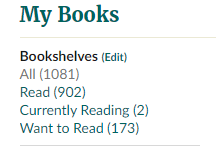
At its core, the website is for tracking what you’ve read. Most of the features are tied to this so make an account and start tracking.

The “Read” list tracks everything you read, when you started it, and when you finished it. You can also create genre tag lists to easily filter your record. Above is a snapshop of what an entry looks like, but there are even more details saved with each one I’ll talk about later.
You can mark each book with a shelf tag, seen above. These are ways to group books you’ve read. I like to mark things with sub genres, number of POVs, whether or not something is progression fantasy, ect and I use this to help sort when recommending books to others.
The “Currently Reading” list looks identical to the previous list, but when a book is added or marked as complete, it marks the date of those activitie as the day you started/finished the book.
The “Want to Read” list! Again, this list funcitons the same as the Read list, but its a place to drop all the books you find interesting. Get in the habit of populating this list when you read recommendations or see books in the wild. You can add a private note to each book if you want to leave a message to your future self. You can put books on as many lists as you want, so if you are planning on a reread you can have it on all three.
Finding new books
Readers also enjoyed
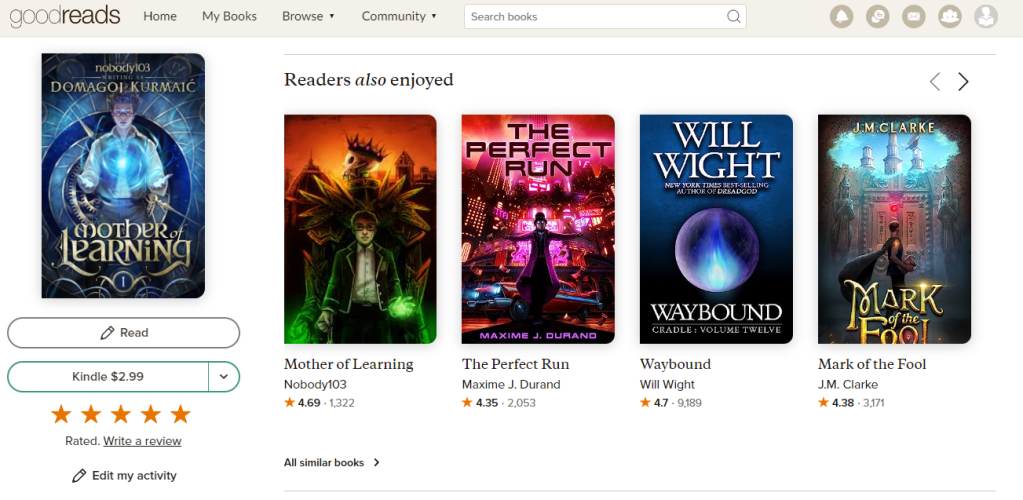
If you are first discovering Goodreads now, this is the low hanging fruit of finding a lot of books you have a high likely hood of enjoying. When I first discovered the site, this section helped me discover most of my favorite present date authors. Every book on Goodreads has a list of books others also enjoyed.
So, find your favorite books, and see what people who likes your book also liked.
Genre Tags

You can click on the genre tag on a book to browse that genre, or sub genre, or super duper niche sub genre. The genre tags are based off of people’s shelf tags to some degree.
New books from authors on your shelves
This is the big one! The best reason for tracking all the books you have read is for this page. Frustratingly, this page is NOT available on mobile for some reason, and if you try to open it in desktop mode on mobile, it doesnt let you log in.
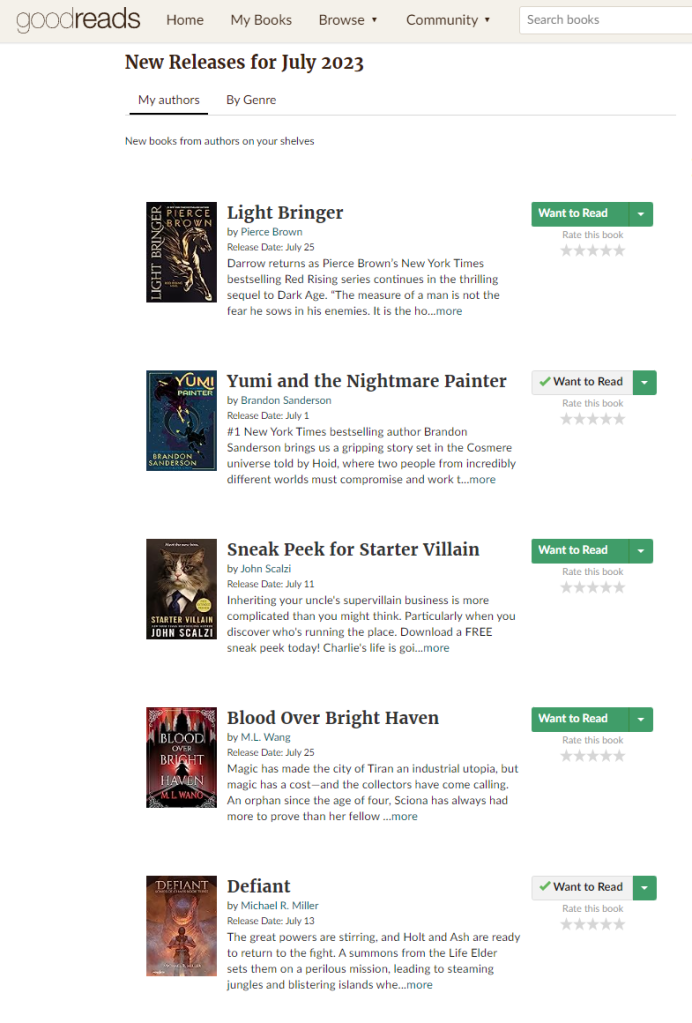
This page will show you, month by month, all the books coming out by authors you’ve already read. You can even look at past months to see if you missed any. I get in the habit of checking this list out every couple weeks and updating my want to read list.
Ratings
A quite aside about Goodreads ratings systems.
If you mouse over a star rating on Goodreads, it classifies them as follows
5 Stars: It was amazing
4 Stars: I really liked it
3 Stars: I liked it
2 Stars: It was okay
1 Star: I didn’t like it.
I personally like this system, but acknowledge most people don’t use stars this way. If you sees stars in my screenshots, this is how I used them. Caveat, if I rate a book anywhere besides Goodreads, I only give 5 stars or don’t rate it. Audible and Amazon anything but a 5 actively hurts the author’s rating and cabn directly effects sales.
Other people
There are a lot of people who do reviews on GR. If you can find someone whose tastes are similar to yours, you can find a source of constant rec’s. If you click on someone’s profile > more > compare books, you can see the info below. It compares how you had they have ranked books you have both read.
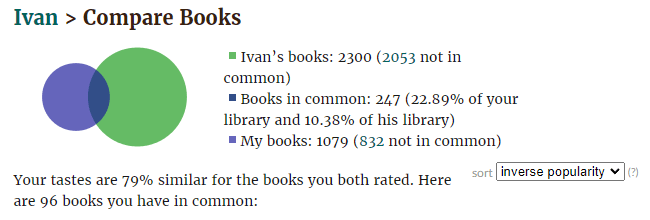
Sadly, there is no way to actually find people with similar ratings to you, but in searching through the big reviewrs, I found a few in the 80% range.
Lists
Lists are just that, lists. You can make a list, put some books on it, and let other people add to it. When you find a list, you can add books to them, and vote for books on the lists to raise them higher.
There are also groups, you can join, though I’ve never really dabbled in those.
After the readers also enjoyed page, this is a good place to find new authors.
DATA!
Do you like charts? Tables? Statistics? Do you make spreedsheets for fun in your free time to track hobbies?
Dumb question. Of course you do. Who doesn’t?
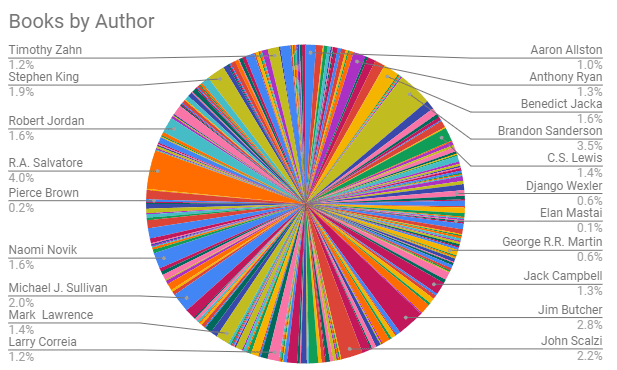
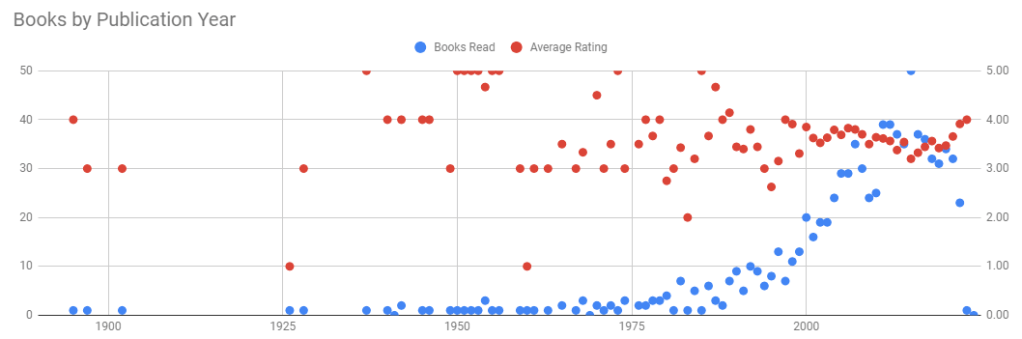
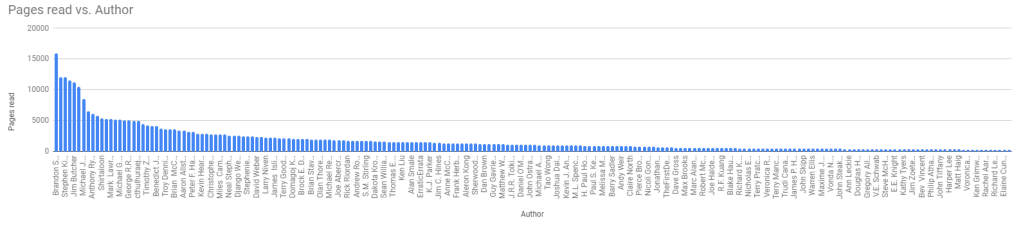
Goodreads has a handy little feature that spits out all your books, with ratings, tags, comments, and anything else you have marked for them to a CSV file.
https://www.goodreads.com/review/import
Not only does it give you all your inputs, it also spits out all the data they have on the book, like title, author, ISBN number, average GR rating, publisher, page count, year published.
Once you have this, you can do neat things like make an overly complicated spreedsheet that lets you easily recomend reddit friendly tables in comments based on genre tags. But, thats just like, an example. I totally didn’t do that.

 Peter J Lee - Author
Leave a comment